Rethinking Job Actions
Challenging a customization solution and reframing the problem around operator intent — a case study in product thinking, not another UI project.
A design recommendation and concept. It informed ongoing design discussions but has not yet been implemented.
- Company
- Fiery (formerly EFI)
- Product
- Fiery Command WorkStation
- My role
- Senior UX Designer
- Users
- Production print operators (commercial, in-plant, enterprise print rooms)
- Platform
- Desktop application
- Methods
- UX audit, stakeholder interviews, edge-case analysis, design critique, competitive analysis
The context
Hundreds of jobs a day, one overloaded right-click menu.
Fiery Command WorkStation is used by trained print operators who manage hundreds of jobs a day across multiple servers. Each job's right-click menu is the primary interaction point for running, fixing, inspecting, and troubleshooting.
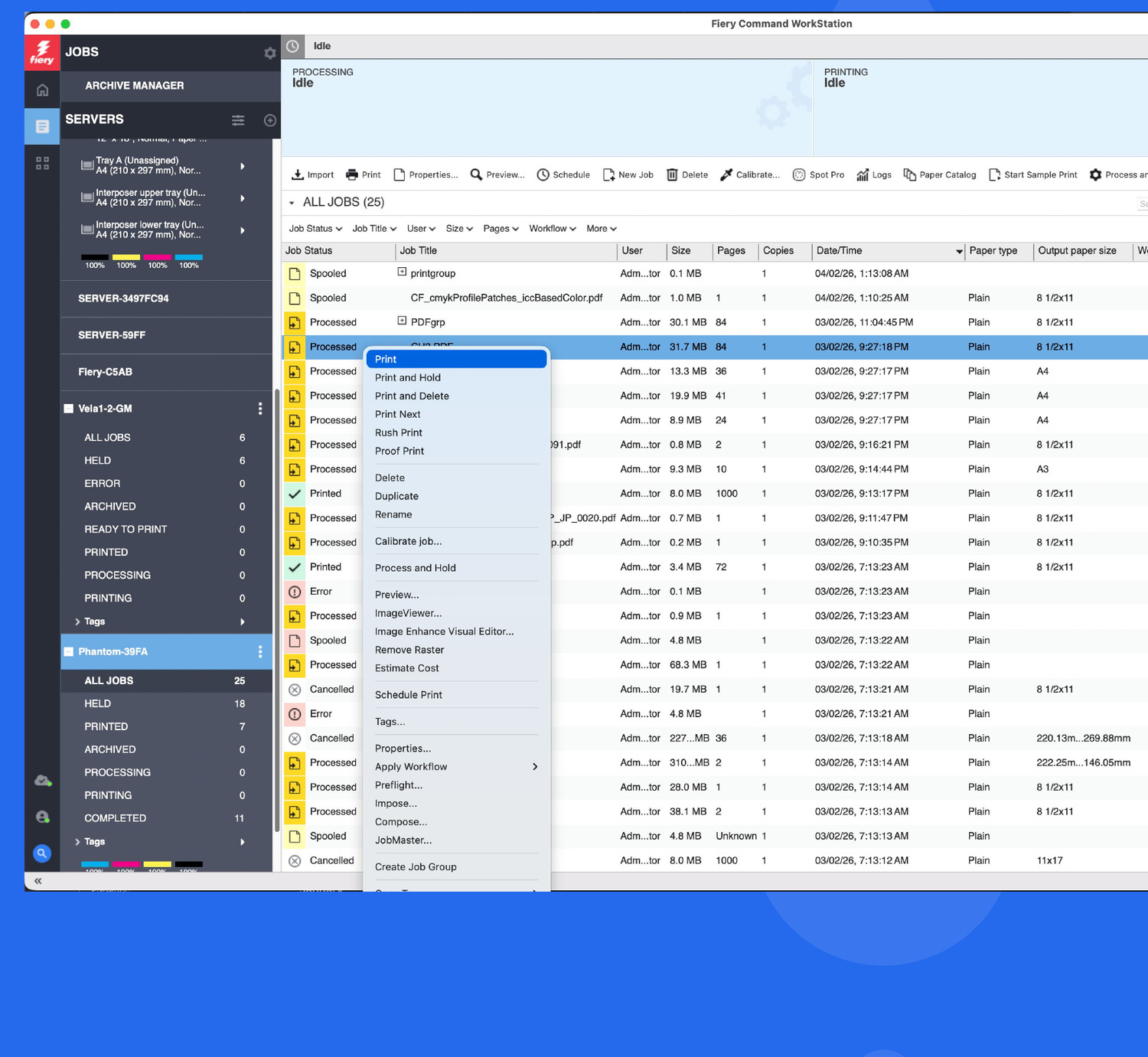
Over years of feature growth, these menus had become long and dense. Operators had to mentally scan and filter the full list every time — even though their intent at any given moment was usually narrow: they were either running jobs, fixing jobs, or investigating issues.
The product team's initial proposal was to let operators customise their menus: show/hide actions, reorder items, create personal groups. I opposed this direction. Customisation solves a preference problem, not a workflow problem. The real pain was context switching — the same operator, with the same permissions, needed different actions at different moments. The system was static where it should have been adaptive.
This case study walks through why I argued against the agreed-upon customisation approach, what edge cases made it untenable, and what I proposed instead.
What is the problem?
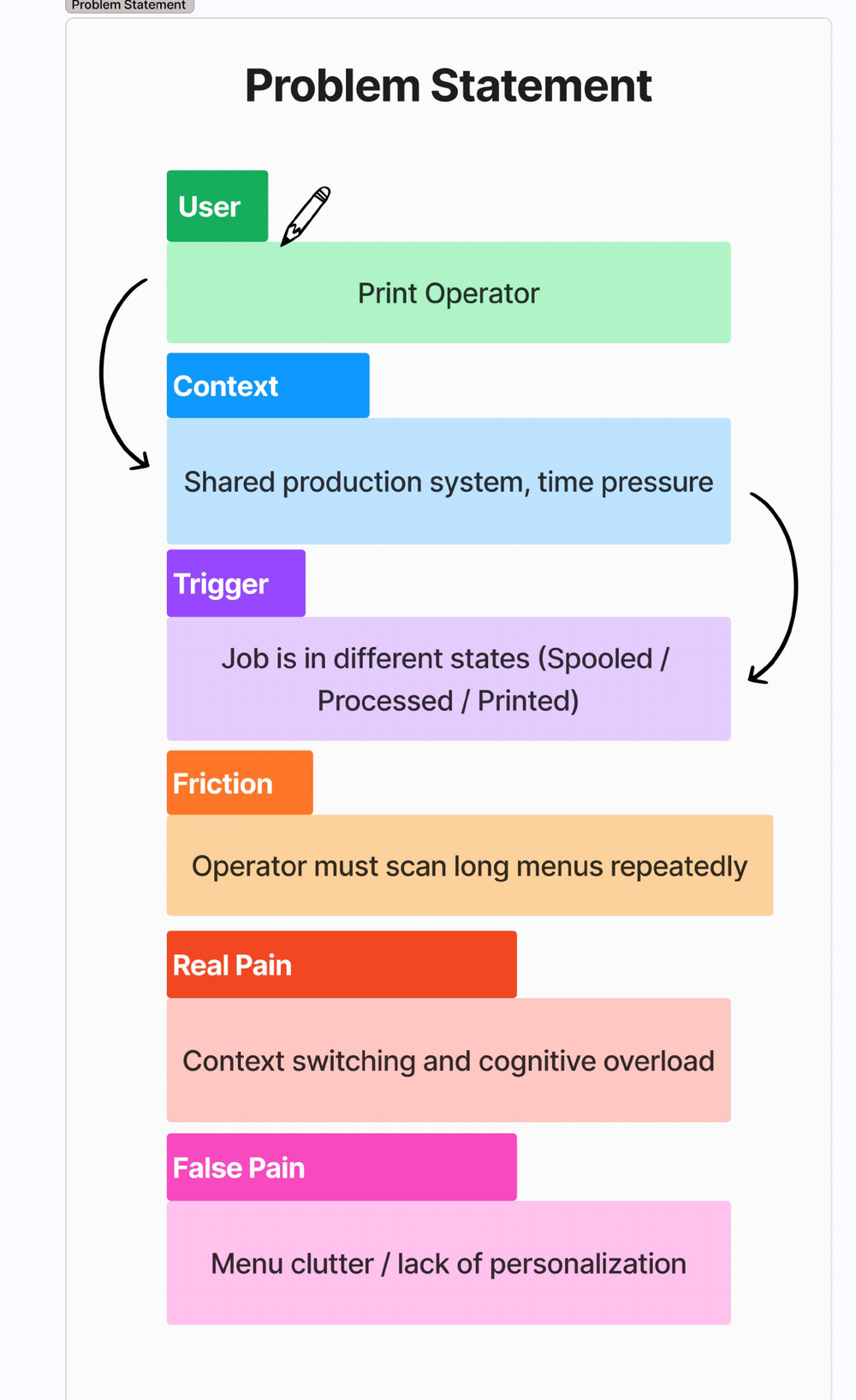
The pain is context switching, not a lack of options.
Job-action menus are long and dense, so operators scan and filter mentally every time.
The same operator switches, minute to minute, between running jobs, fixing jobs, and inspecting issues — a high cognitive load under time pressure.
Key point: the pain is context switching, not a lack of options. Adding a way to customise the list treats the symptom, not the cause.
The initial assumption
“Operators are slowed by clutter, so let them customise.”
The proposed solution let users show/hide actions, reorder them, create custom groups, and persist those per user across servers. It's a reasonable-sounding fix — and it treats symptoms, not the cause.
Why it's the wrong remedy
Operators don't want to design menus — they want the system to support their current task. Customisation adds setup and maintenance overhead, pushes decision-making onto the user, and breaks predictability across shifts.
Customisation creates serious edge cases
- Different menus per operator break muscle memory.
- Shift handoffs become a risk when layouts differ.
- Training becomes inconsistent across machines.
- Hidden actions are hard to find in emergencies.
- Server-type differences break saved layouts.
- New servers introduce unexpected menu changes.
Reframing the real problem
Same operator. Same permissions. Different intent.
Operators are constantly switching tasks, but the UI is static. The system should adapt to intent instead of personal preference.
The proposed solution
Mode-based job actions.
Introduce explicit task modes that reorganize what's already there — no setup, no customization state.
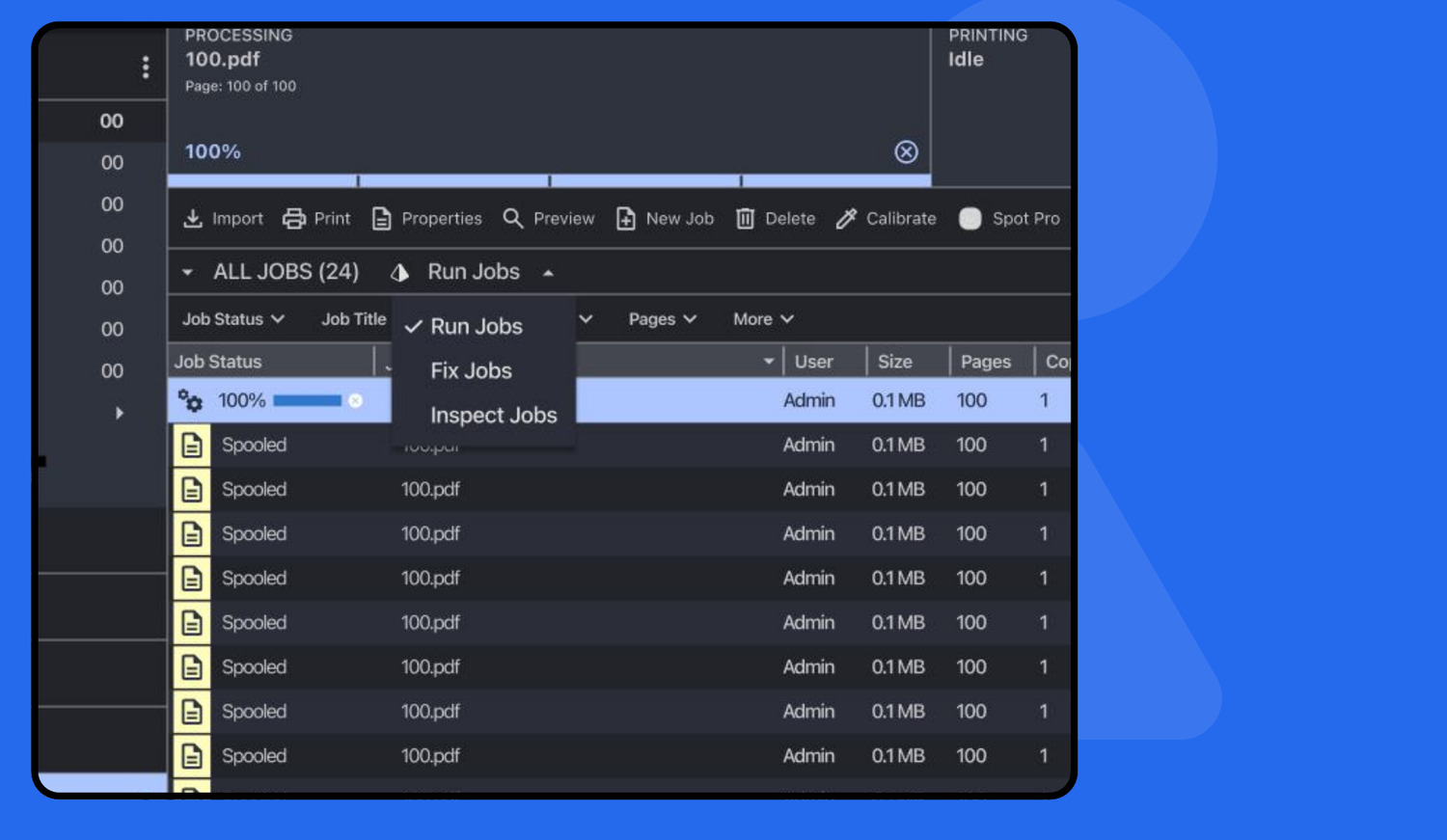
Run Jobs
Printing & throughput
Fix / Prepare
Adjustments & setup
Inspect / Troubleshoot
Investigation & validation
How it works
- Server type determines what actions exist — Cutsheet, Wide Format, and HSIJ all have different capabilities.
- Job status determines what actions are allowed right now — Spooled, Processed, Printed.
- Mode determines which of those actions are prioritized and surfaced first.
Modes don't add, remove, or invent actions — they just organize what's already available.
From the operator's perspective
- No setup required
- No remembering custom layouts
- A clear signal: “What am I doing right now?”
- Faster decisions under pressure
- Same behavior across machines and shifts
From an implementation perspective
- No per-user customization state
- No drag-and-drop UI
- No invalid configurations
- A smaller QA surface
Mode-based menus reuse existing server and job-state logic with a thin prioritization layer, while customization introduces persistent state, validation, migration, and long-term support costs.
Learnings & reflections
What this recommendation taught me.
Reframing was the work
What initially looked like a need for menu customization was actually a challenge of supporting operators' task contexts and reducing cognitive load. Naming the real problem was more valuable than any screen.
Expert users value predictability
In high-pressure production environments, consistent interfaces and strong mental models are more valuable than personalized layouts. Flexibility is not the same as usefulness.
Design systems, not screens
The solution required thinking beyond UI components — defining the rules between job states, server capabilities, and operator intent. And simplicity doesn't mean removing power: with prioritization and progressive disclosure, the interface stays focused while preserving full functionality.
Next · 04